BOMULCamera
English
Coming to the App Store

보물 · bomul · something worth keeping

One tap,Korean editorial.

Shoot creamy Korean tones, old-phone nostalgia and CCD color straight into photos and video. 28 launch filters across six families, with color Filters and texture Effects you can mix freely.

Buy once · Keep forever · New filters included · No ads or subscriptions

Coming to the App Store See all 28 filters

iPhone · iOS 16 or later · adaptive on iPad
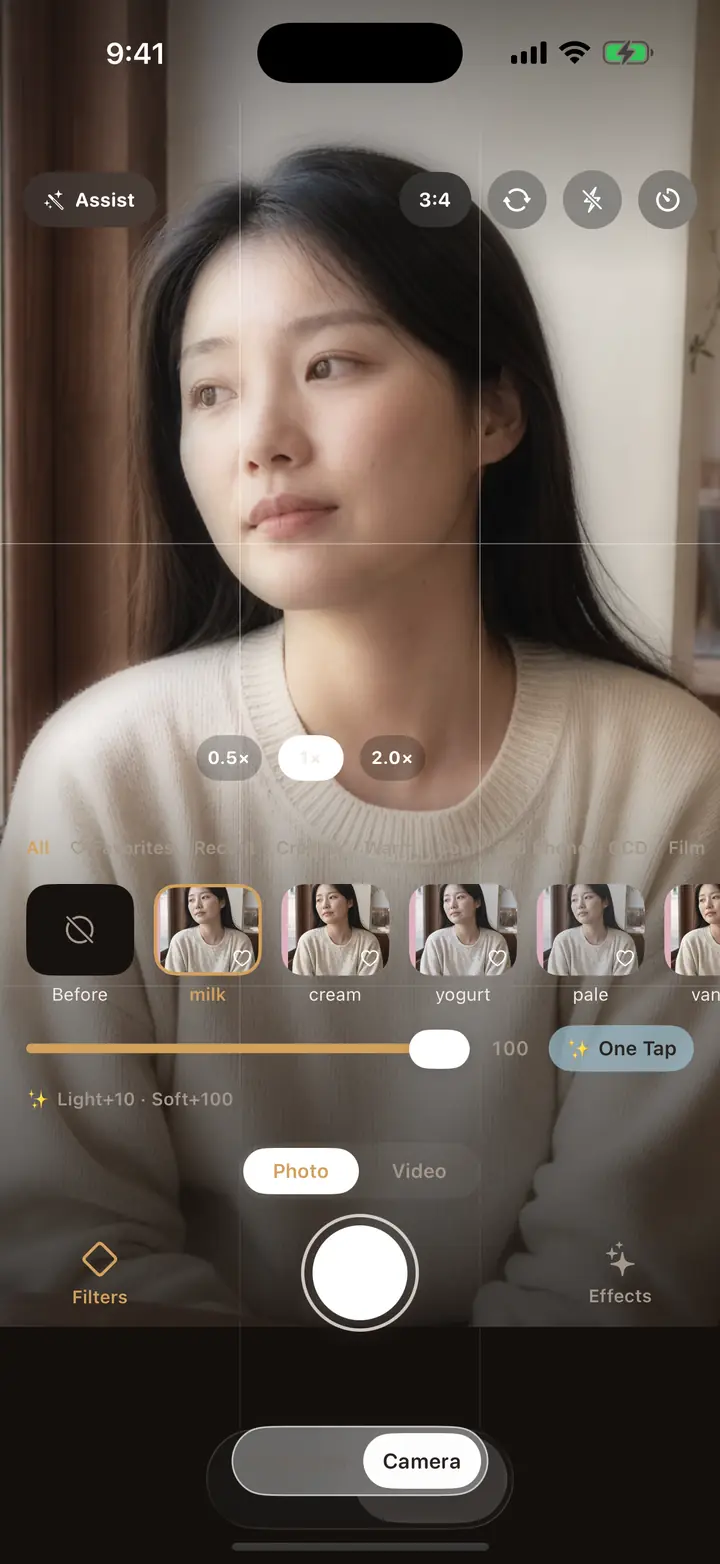
The BOMUL Camera viewfinder with a live filter preview and filter strip
28 launch filters six families
4K video, baked in same recipe
0 ads · subscriptions · accounts no data collected

The filter library

Six families, 28 filters at launch

Neither strip on these cards is an illustration. The top one is a neutral gray ramp pushed through that filter's actual LUT, straight out of the shipping app. The bottom one is a single skin tone spread across six exposures and run through the same table — Korean filters live or die on skin, and a gray ramp alone hides the difference between families. The two dots give the exact skin and sky values.

milk

milk

Skin
#DCC0A9
Sky
#88A7C0
  • Brighten 10
  • Soft haze 100

cream

cream

Skin
#DEBCA1
Sky
#86A6BE
  • Brighten 10
  • Glow 10
  • Soft haze 70

yogurt

yogurt

Skin
#D5BCAB
Sky
#89A8C4
  • Brighten 15
  • Soft haze 60

pale

pale

Skin
#C6B2A4
Sky
#8AA3B8
  • Brighten 20
  • Soft haze 50

vanilla

vanilla

Skin
#DDBA9E
Sky
#83A5BF
  • Brighten 8
  • Glow 10
  • Soft haze 80

butter

butter

Skin
#E1B38F
Sky
#7FA2BB
  • Glow 20
  • Soft haze 50

honey

honey

Skin
#ECB692
Sky
#7BA1BE
  • Brighten 5
  • Glow 25
  • Soft haze 40

toast

toast

Skin
#DDAE90
Sky
#8DA6BA
  • Fade 10
  • Glow 15
  • Grain 15
  • Soft haze 30

peach

peach

Skin
#DEAC90
Sky
#7FA0C0
  • Brighten 8
  • Glow 20
  • Soft haze 60

cool

cool

Skin
#D4B5A5
Sky
#7BA5CF
  • Brighten 25
  • Soft haze 50

soda

soda

Skin
#D7B8A6
Sky
#7DA8D3
  • Brighten 15
  • Glow 5
  • Soft haze 35

mint

mint

Skin
#DBBFA7
Sky
#80AAC9
  • Brighten 10
  • Soft haze 30

seoul blue

seoul_blue

Skin
#D1B2A4
Sky
#7AA1CE
  • Brighten 5
  • Glow 10
  • Grain 10
  • Soft haze 20

SE hdr

se_hdr

Skin
#E0C1AE
Sky
#7CA8D3
  • Grain 50
  • Soft haze 50

SE blur

se_blur

Skin
#CCB19E
Sky
#84A2BB
  • Fade 5
  • Grain 45
  • Soft haze 70

SE glow

se_glow

Skin
#DCC2AC
Sky
#88ABC8
  • Fade 10
  • Glow 80
  • Grain 35
  • Soft haze 30

P7

p7

Skin
#E1B294
Sky
#75A2C9
  • Fade 10
  • Glow 15
  • Grain 30
  • Soft haze 20

V3

v3

Skin
#DFB691
Sky
#72AACA
  • Brighten 5
  • Fade 15
  • Glow 20
  • Grain 55
  • Soft haze 35
  • Date stamp

ccd1

ccd1

Skin
#EABAA3
Sky
#6FA6E0
  • Fade 30
  • Glow 5
  • Grain 40
  • Date stamp

ccd2

ccd2

Skin
#FBBB91
Sky
#76A7CF
  • Brighten 5
  • Fade 20
  • Glow 10
  • Grain 35
  • Date stamp

flash

flash

Skin
#EFC5A8
Sky
#81B2DE
  • Brighten 20
  • Fade 35
  • Glow 25
  • Grain 30
  • Date stamp

y2k

y2k

Skin
#EBB99E
Sky
#76A7D4
  • Brighten 5
  • Fade 25
  • Glow 20
  • Grain 50
  • Soft haze 10
  • Date stamp

b1

b1

Skin
#CAB39D
Sky
#8AA3B5
  • Fade 20
  • Grain 60
  • Soft haze 10

p400

p400

Skin
#DDB395
Sky
#80A2BE
  • Brighten 5
  • Fade 15
  • Glow 5
  • Grain 45
  • Soft haze 25

f100

f100

Skin
#D9B199
Sky
#78A4C8
  • Fade 15
  • Grain 40
  • Soft haze 15

mono

mono

Skin
#C1C1C0
Sky
#A2A1A1
  • Fade 20
  • Grain 55
  • Soft haze 10

blossom

blossom

Skin
#EDBBA8
Sky
#88A7CD
  • Brighten 10
  • Fade 10
  • Glow 10
  • Grain 25
  • Soft haze 45

jeju

jeju

Skin
#DEBCA6
Sky
#7AA3D1
  • Brighten 8
  • Fade 15
  • Glow 5
  • Grain 35
  • Soft haze 20

All 28 launch filters unlock with the paid download. New filters released later arrive free — you pull them in from Settings whenever you want them.

01

Shooting

Video gets the same recipe

What you see in the viewfinder is the photo you get: the filter is part of the capture, not a layer added afterwards. Switch to video and the same recipe is written straight into 1080p or 4K, ready to post the moment it saves.
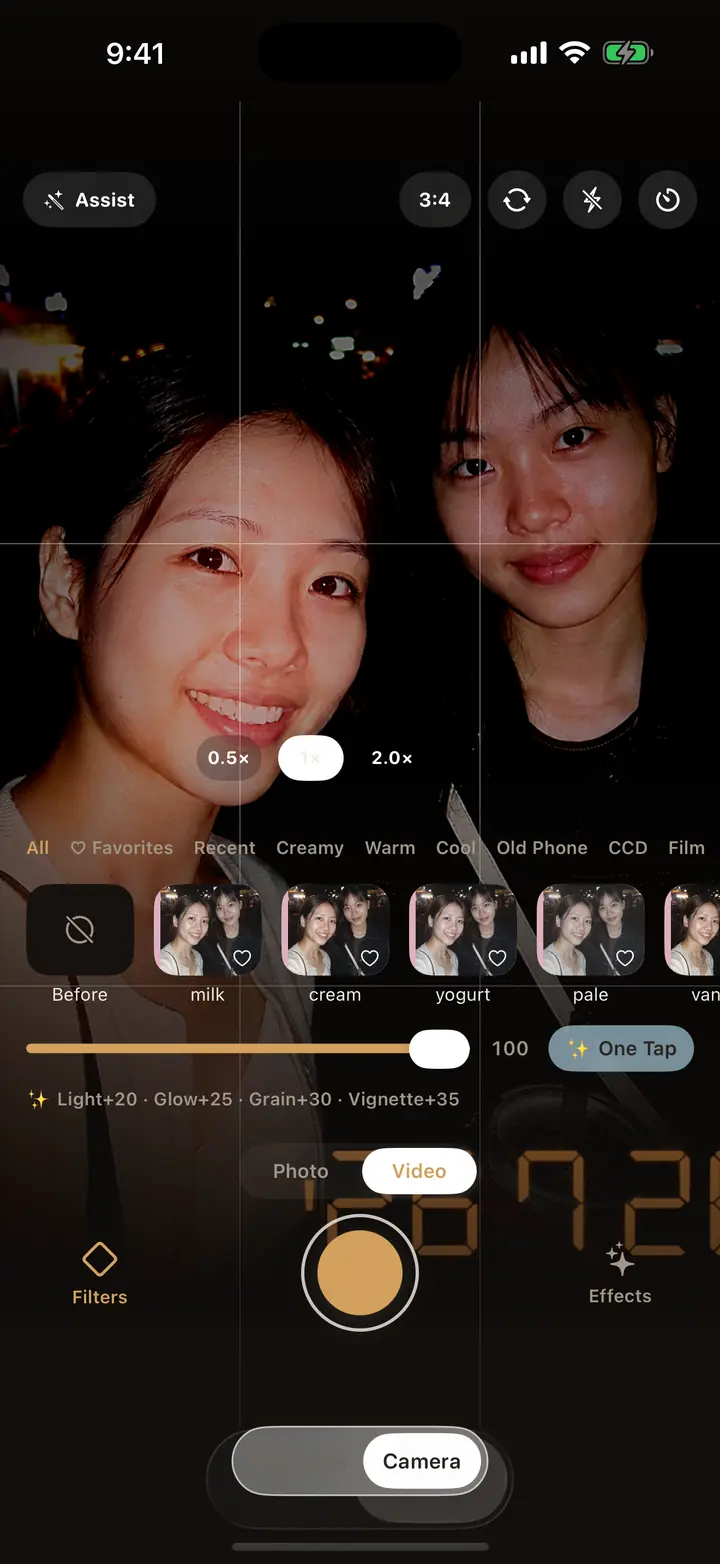
  • Live preview, what you see is what you get
  • Filters baked into 1080p / 4K video
  • Control Center button, Siri and Shortcuts support
Video gets the same recipe — BOMUL Camera
02

Adjusting

Color is the Filter. Texture is the Effect.

The two run on separate axes, so changing the color never throws away the texture you dialed in. Brighten, soft haze, glow, grain and fade each get their own slider, anywhere from 0 to 100.
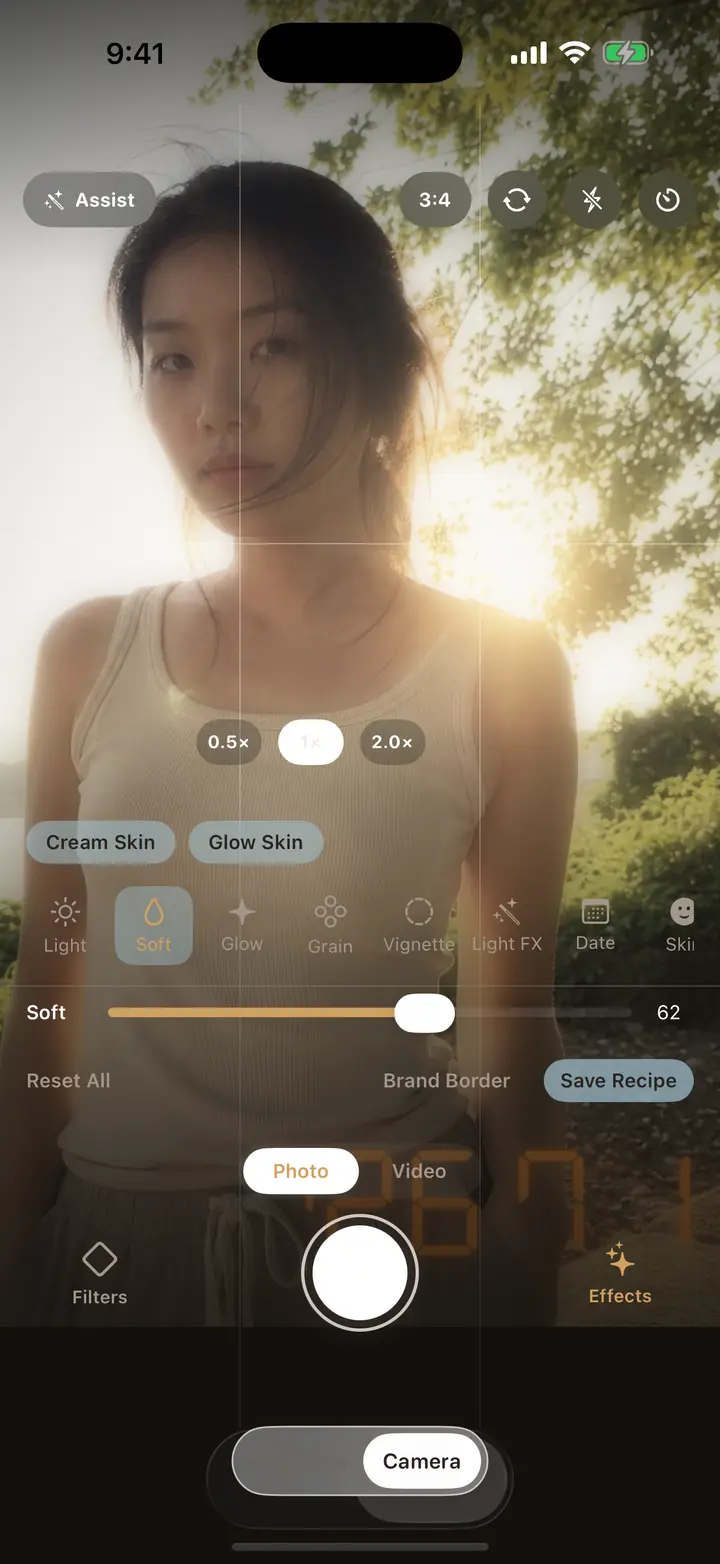
  • Five texture sliders, independently adjustable
  • Optional date stamps and brand borders
  • Light skin smoothing and JPEG retro compression are off by default
Color is the Filter. Texture is the Effect. — BOMUL Camera
03

Editing

Old shots get a second pass

Photos, videos and Live Photos from your library all open in the editor and export at original resolution — no silent recompression. On-device scene detection suggests three filters to start from, and after a burst, “pick one for me” surfaces the steadiest frame.
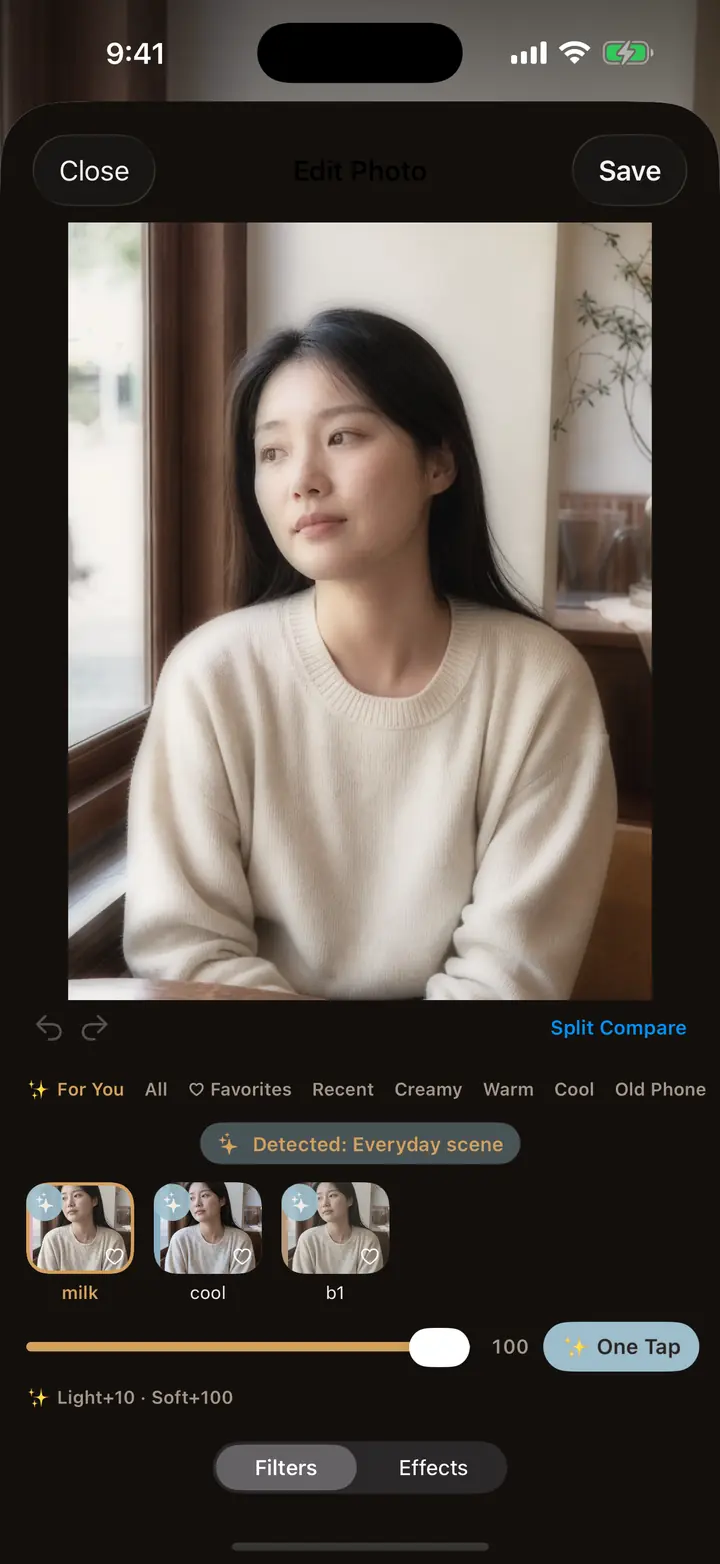
  • Photos / video / Live Photos at original resolution
  • On-device suggestions — detection never goes online
  • Batch edit up to 20 photos at once
Old shots get a second pass — BOMUL Camera
04

Sharing

Hand a friend your exact look

Once a set of parameters feels right, save it as your own recipe and pass it on as a short code or a QR card. They get the identical color and texture — no account, no follow, no app-to-app login.
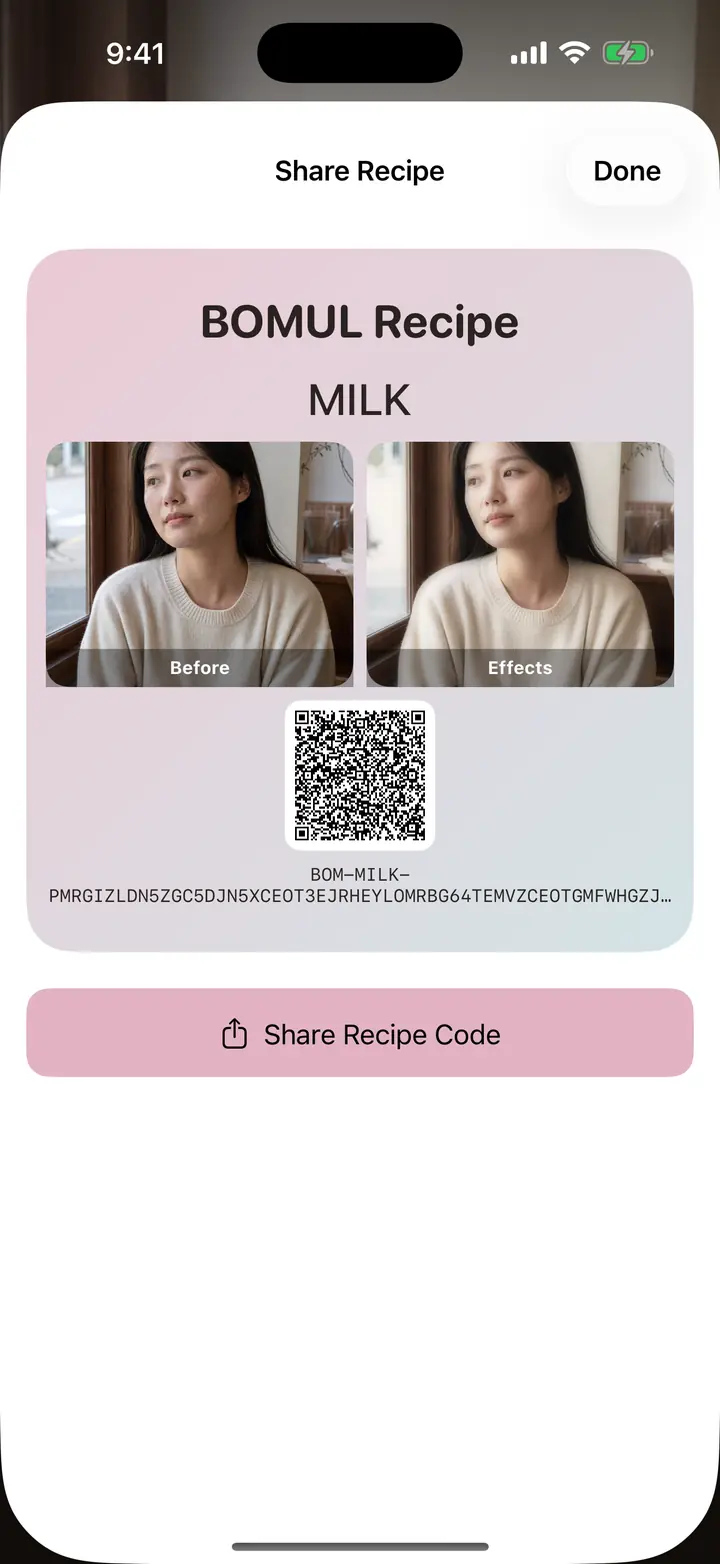
  • Recipe short codes and QR cards
  • “Shoot like this” overlays a reference photo on the viewfinder
  • Favorites and recents group themselves
Hand a friend your exact look — BOMUL Camera

Privacy

Not one photo leaves your phone.

That is not a promise, it is a property you can check in the code: the repository has a network egress gate that allows exactly one file to make network calls. Any new one fails CI and forces a privacy review before it can ship.

$ ./Scripts/check_network_egress.sh
 Gate passed: the project's only network call lives in FilterUpdateService.swift
This runs on every CI build. Adding any new network call fails it, and forces a review of this page, the App Privacy label and the store copy before anything ships.
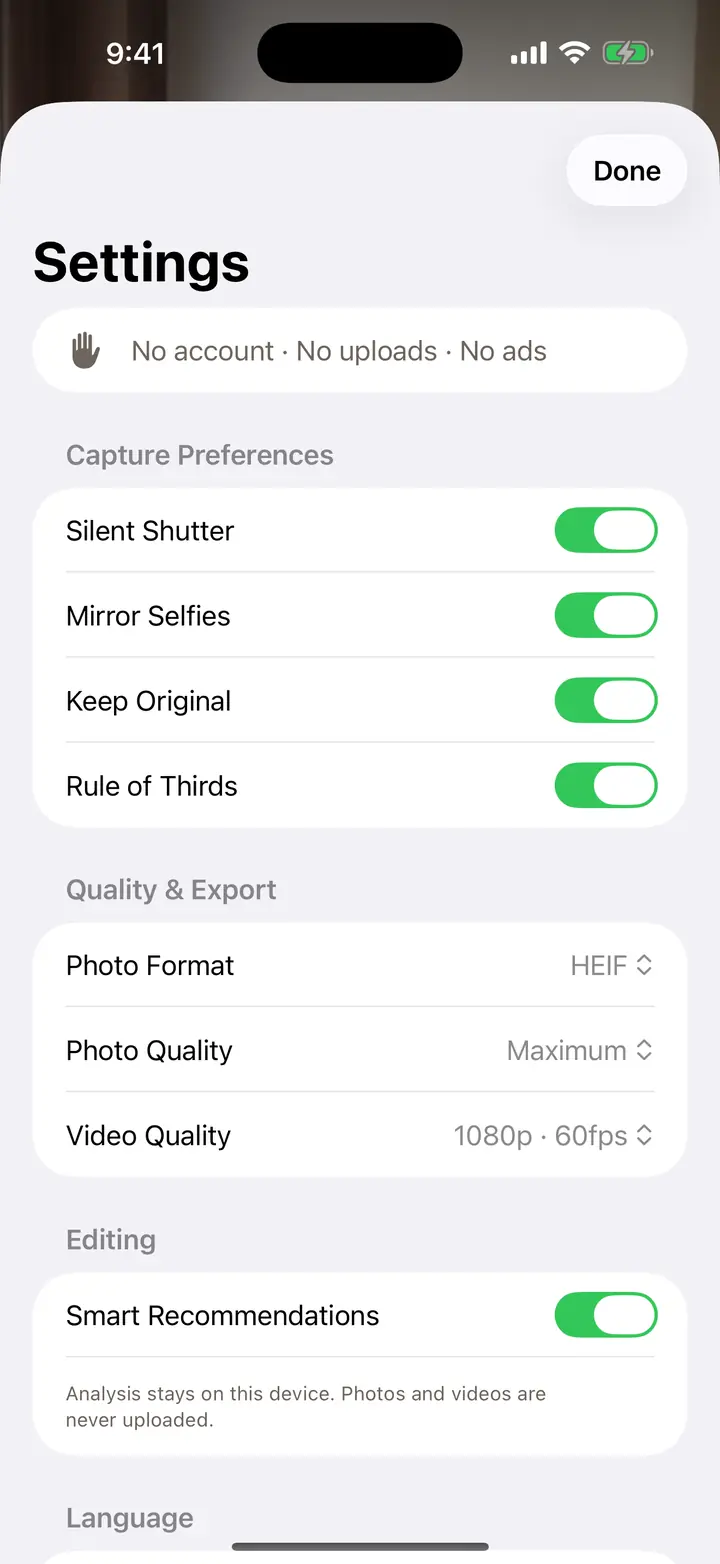
  • No account

    Open it and shoot. No sign-up, no phone number, no cloud library.

  • No ads, no tracking

    No advertising or analytics SDKs. The App Store privacy label reads “Data Not Collected”.

  • Online only when you say so

    The single network request happens when you tap “Check for content updates” in Settings.

  • Photos stay local

    Capture, editing and batch export all run on the device, and so do your recipes and settings.
Read the full privacy policy
The privacy section in BOMUL Camera's settings

Specs

The whole thing on one screen

Requires
iOS 16.0 or later
Devices
iPhone; adaptive layout on iPad
Languages
English, 简体中文, 繁體中文, 日本語, 한국어
Filters
28 at launch, six families, later releases free
Video
1080p / 4K with the filter baked in
Editing
Photos, video and Live Photos at original resolution
Pricing
One-time purchase, Family Sharing enabled
Data collected
None

FAQ

What people ask before buying

Is there a subscription?

No. BOMUL Camera is a one-time purchase. All 28 filters unlock with the download — no paywall inside, no ads.

Do I pay again for new filters?

No. Filters released after launch are free for everyone who bought the app. Tap “Check for content updates” in Settings to pull them in.

Are my photos uploaded anywhere?

No. Capture, filter rendering, editing and export all happen on your device. The app's only network call is the content update you trigger yourself.

Can I filter video too?

Yes, and it is written into the frames as you record, at 1080p or 4K. Videos already in your library can also be re-filtered in the editor.

What is a recipe code?

Your color and texture settings packed into a short code or a QR card. Whoever receives it gets exactly the same look, without an account.

Which iPhones work?

Any iPhone on iOS 16 or later. Live preview is smoothest on iPhone XS and newer. On iPad the layout adapts to the larger screen.

Shoot the ordinary day like it is worth keeping.

보물 (bomul) is Korean for treasure. The whole point of this camera is simple: the snapshot you take today should still be worth opening a few years from now.

Coming to the App Store

Buy once · Keep forever · New filters included · No ads or subscriptions